Be your own cloud.

Infrastructure for AI agents.
Yours, end to end.

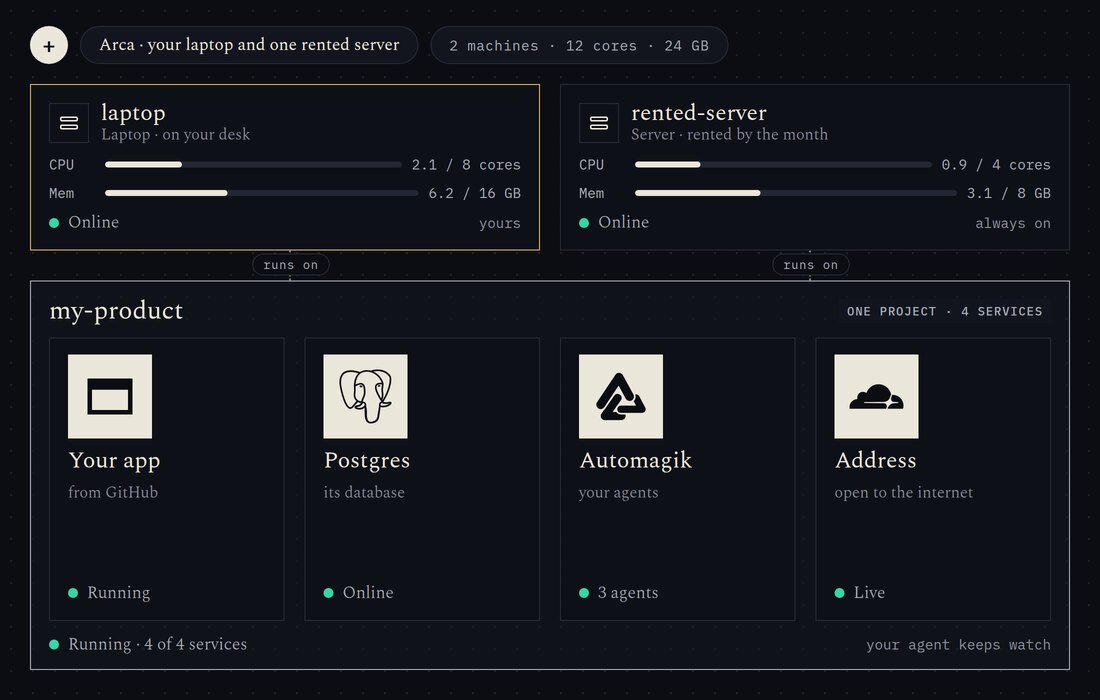
3 machines · 14 cores · yours
  1. Arca runs your apps on computers you already have: a shop laptop, an office PC, a mini PC.
  2. Ask the Doctor for anything on bakery.
  3. My order page says paused. Customers can't order.
  4. On your phone, open Arca, tap Add machine and scan this code, or type it.
  5. Let's run it on your shop laptop instead. Scan the code on its screen.
  6. shop-laptop shows a code. Approve it on your phone.
  7. shop-laptop joined with your passkey. It is ready for your app.
  8. Click Download codebase there and drop the file here. I'll do the rest.
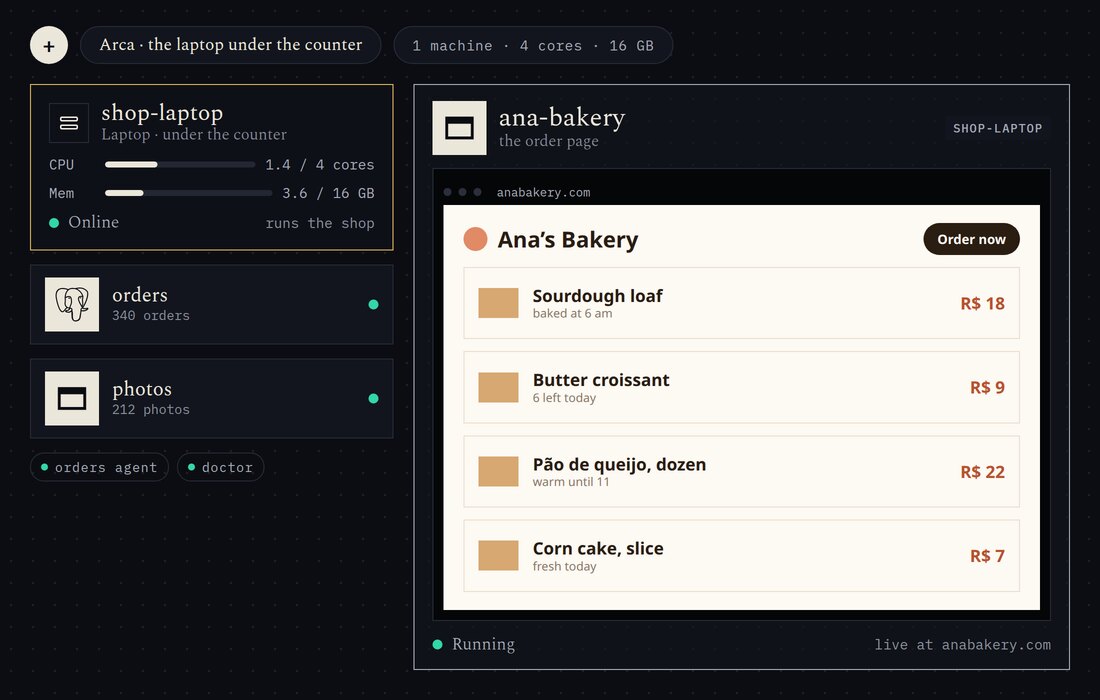
  9. Unpacked ana-bakery.zip: your order page and its sign-in. Building it on shop-laptop.
  10. ana-bakery is built and running on shop-laptop.
  11. Your app keeps 340 orders and a photo folder. Bringing them over now. Your customers will get one 'sign in again' email.
  12. Copying orders, customers and photos from Lovable into a database on shop-laptop.
  13. 340 orders, 58 customers and 212 photos imported. The sign-in emails are queued.
  14. anabakery.com, I bought it on GoDaddy.
  15. Approve this one screen and I'll handle the rest.
  16. Let Arca add 2 records for anabakery.com at GoDaddy. Nothing else in your account changes.
  17. Adding 2 records at GoDaddy and asking for the HTTPS certificate.
  18. anabakery.com is live with HTTPS. Customers can order again.
  19. Can people order on WhatsApp?
  20. Yes. Plug the shop's phone into the laptop with its USB cable.
  21. Found shop-phone on the laptop’s USB port.
  22. Starting the WhatsApp helper and linking it to shop-phone.
  23. Oi! Is there sourdough today?
  24. Yes! 6 loaves left. Want me to save some?
  25. WhatsApp connected on shop-phone. The helper answers and takes orders.
  26. I'll give the helper its own desktop so you can watch it work.
  27. Starting a small desktop for the helper on shop-laptop.
  28. Done: order #341, 2 sourdough, pickup 17:00. Pay at the counter.
  29. All green. It restarted once last night, here's why.
  30. Last night at 03:12 it ran out of memory resizing a big photo and restarted itself. I gave it 1 GB; fine since.
  31. Asked it how it feels: database up, 341 orders, memory fine.
  32. Restarting it once more so you can see it come back on its own.
  33. Does it stay up 24 hours? My laptop goes home with me.
  34. Pair two more machines and it moves between them. When they're all off, Arca Cloud keeps it running in the cloud, and you only pay for those hours.
  35. Approve back-office-pc on your phone.
  36. Approve mini-pc on your phone.
  37. mini-pc joined. You have 3 machines now.
  38. shop-laptop went home. Moving your app, its data and the helper to back-office-pc.
  39. Moved to back-office-pc. Nobody noticed.
  40. Your machines are asleep. Arca Cloud keeps the app and the helper running tonight.
  41. Arca Cloud ran it for 6 hours while everything slept. You pay only for those hours.
  42. Morning: your machines are awake. Moving everything back home.
  43. Back on shop-laptop. Arca Cloud waits for tonight.
  44. Back on your machines. Last night Arca Cloud ran it for 6 hours.
Works with Arca
  • PostgreSQL
  • NATS
  • Omni
  • Automagik
  • Tactu
  • GitHub
  • Cloudflare
  • Tailscale
For too long, running software meant renting someone else’s computer. That era is over.
  1. Own the machines. What you already have is enough to start.
  2. Let agents operate. They ask, deploy and watch through one door built for them.
  3. Keep the key. What they propose waits for you.
Four ways in

Start with what you have. Grow from there.

Deploy your own app or pick a ready one, on your machines or ours.

  1. 1 linkDeploy any app from GitHub.
  2. 7 readyOr start from a template.
  3. Any machineAdd what you own.
  4. By the secondArca Cloud when you have none.

What it runs.

Ship

Deploy any app from GitHub. Paste the link; Arca builds it, runs it and gives it an address.

  • GitHub
  • Your app
  • Postgres
  • Cloudflare

Agents

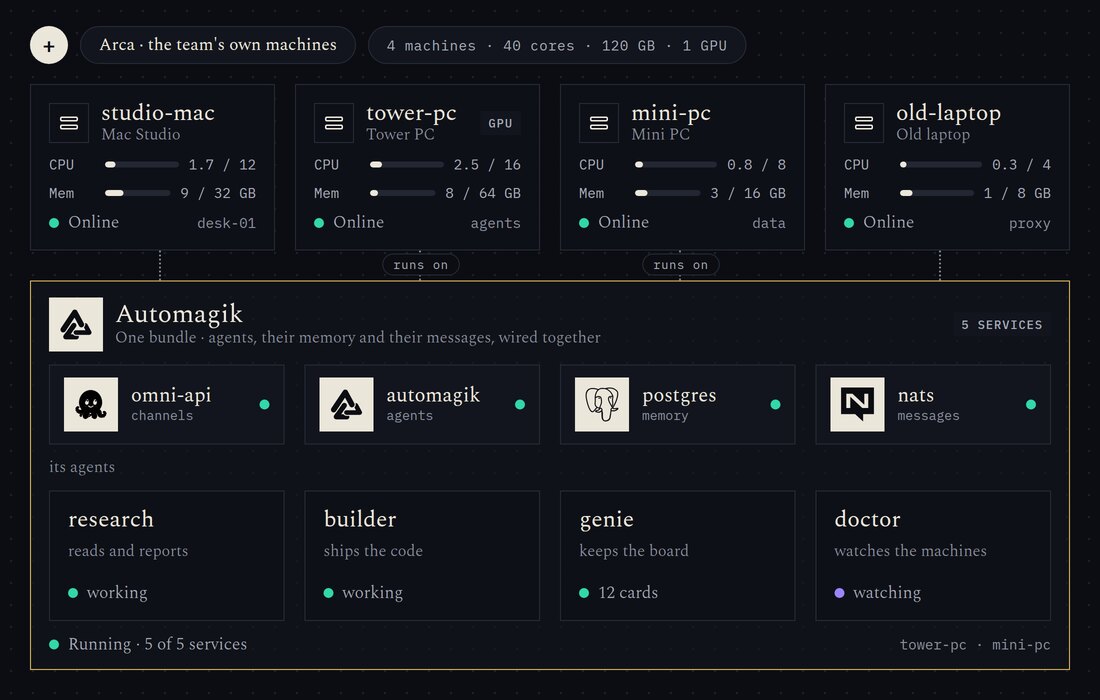
A team of agents that is always on, with their memory and their messages.

  • Automagik
  • NATS
  • Postgres

Omnichannel

Your agents on every channel people already use.

  • Omni
  • Automagik

Mobile use

Give your agents a phone of their own.

  • Tactu
  • Automagik

Desktop use

Give your agents a computer of their own, with a browser and a screen.

  • Workspace
  • Automagik

Builds

Your GitHub builds on your own machines.

  • GitHub
  • Build runners

Data

A database in one request, with snapshots.

  • Postgres

Local models

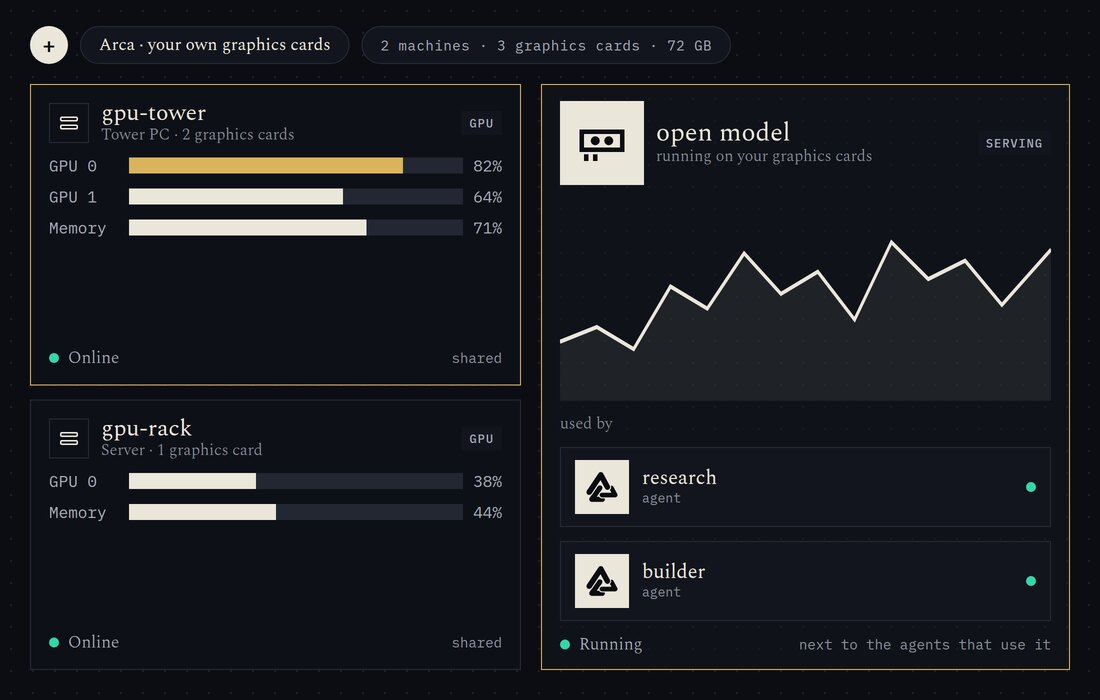
Run open models on your own graphics cards, next to the agents that use them.

  • Graphics card
  • Automagik

Every machine is capacity.

The Mac on your desk. The server in the closet. The laptop in a drawer. Add machines as you go; Arca shows them as one place.

0machines
0cores
0GB of memory

Example figures. Arca reads the real ones when it starts.

Get Arca for thesePick what you own.
Builders

Whoever you are. Your own cloud.

A solo founder.

One person, a laptop and a rented server. The whole stack runs on them, and your agent keeps it running while you build.

An AI team.

Agents, their memory, their tools and their data on machines the team controls. Need another service? Ask for it.

An agency.

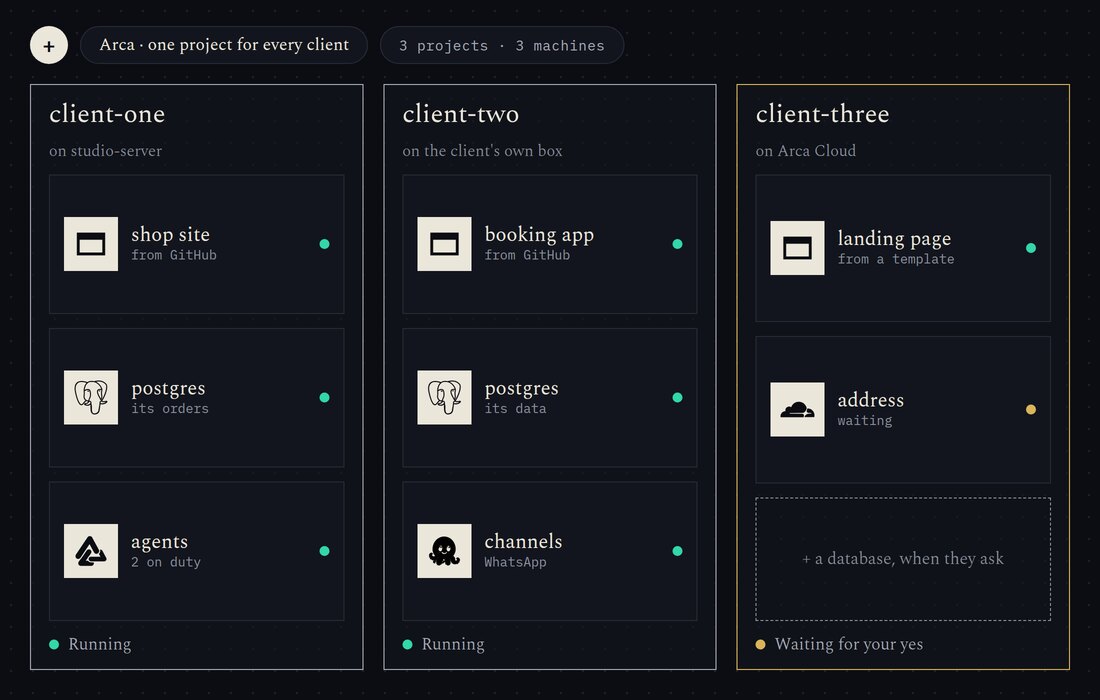
A separate project for every client, each on the machines you choose. Hand over the key when the work is done.

A lab.

Your own graphics cards, shared between your models and the agents that use them.

A shop with one spare computer.

The laptop under the counter runs the site, the orders and the agents that help.

Say it. Approve it. Done.

Tell your agent what you need. It prepares the change. You approve with a passkey. It runs.

  1. You ask
  2. Your agent proposes
  3. Your passkey approves
  4. Your machines run it
From nothing to running

Five minutes. Then just ask.

  1. Install.One line on a machine you own. Arca starts by looking, and changes nothing.
    In a terminal
    curl -fsSL https://get.automagik.si/arca | sh
    It never asks for sudo, refuses to run as root, writes only in your home folder, and a second run updates in place.
  2. Connect your agent.Give your agent the address. It sees every machine and every service.
  3. Say what you want.A database, an app from GitHub, another machine. It prepares the change, you approve, it runs.
One Arca, three ways

On your machines. Or ours.

  1. Arca OS.For a machine you give over entirely. It is Arca from the first boot.
  2. Arca.For a machine you keep using. It takes the share you give it.
  3. Arca Cloud.Ours, for when you have no machine or yours are asleep. By the second, or a flat month.

Templates

  • Postgres
  • NATS
  • Omni
  • Automagik
  • Tunnel
  • Workspace
  • Build runners

Machines

  • Laptop
  • Desktop
  • Mini PC
  • Server
  • Mac
  • Phone
  • Graphics cards

Agents

  • Any agent that speaks MCP
  • Arca’s own Doctor, built in
Yours

Open, and in your hands.

Open

  • Apache-2.0
  • Self-hosted
  • No account needed to run it
  • The code is public

In your hands

  • Your passkey decides
  • What it changes is kept in a journal
  • Your machines, your data
  • Arca checks passkeys itself

Be first.

Early access is opening. Leave your email; your agent can sign you up too.