Bring your AI.
Connect an AI account or an API key. Each Bot runs on the model you give it. Omni and an AI account can wait until you are ready.
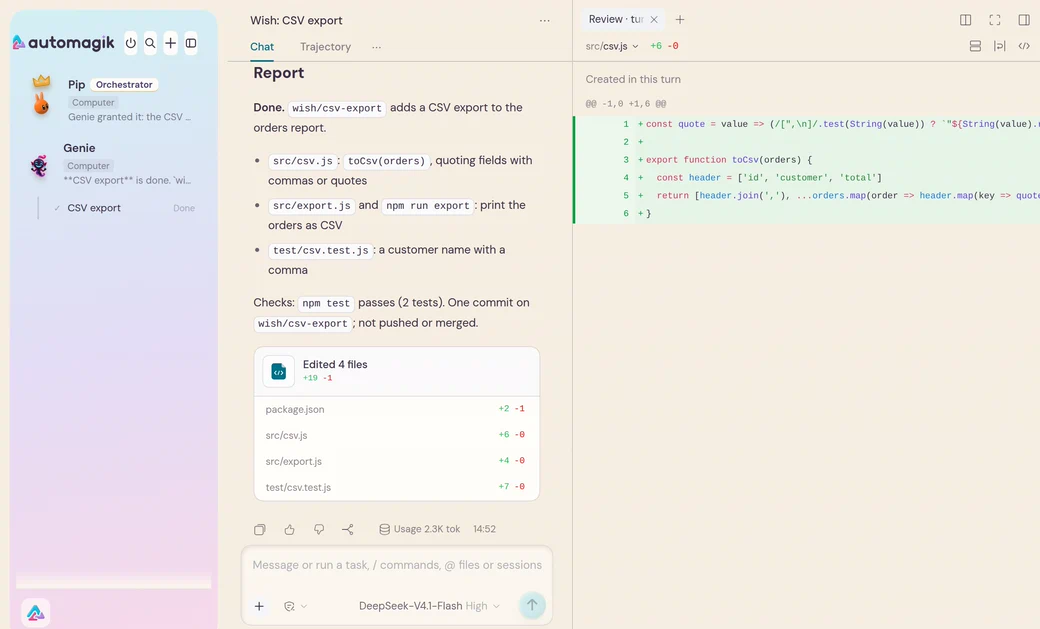
The real app, with a fictional team and project. The AI’s replies are scripted; the commands, tests and file changes are real.
Two more ways in
The app’s switch still says Work for Team mode. Code mode installs separately.
Code mode: your code agents in the Herdr window. It needs Herdr and the Automagik pack; the app alone does not set it up.
Already on DeepSeek Harness? Add the Automagik Bot team through its plugin installer.
Make it yours
Connect an AI account or an API key. Each Bot runs on the model you give it. Omni and an AI account can wait until you are ready.
The team keeps its files in your computer’s .automagik folder. What Bots read and write goes to your connected AI provider under its terms.
Type keys and passwords into a card in the chat. The Bot never sees the value.
It asks before sending as you to a person, deleting something or disconnecting a channel. Main and Omni Bots can read chats and post to groups, WhatsApp channels and your own chat without asking. Other Bots ask for chat access; an Always grant lets them post to that group again.
First steps
sudo apt install ./Automagik-Linux.debOn another Linux, use the AppImage.
Automagik Desktop
Your agent team in one window. Talk with your Bots, hand work over and review what comes back.
Automagik-Mac.dmgAutomagik Desktop
Your agent team in one window. Talk with your Bots, hand work over and review what comes back.
Automagik-Linux.debsudo apt install ./Automagik-Linux.debOn another Linux, use the AppImage.